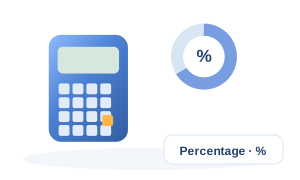
Percentage Calculator

MathInstant resultsFormula shown100% in your browser

Calculate marks percentage from marks obtained and total marks, convert CGPA to percentage using your institution's conversion factor, or solve standard percentage, increase, decrease and reverse-percentage problems.

Inputs

1

Choose calculation

2

Student values

Only the fields needed for the selected mode are shown.

How to use this calculator: Percentage Calculator

Calculate marks percentage from marks obtained and total marks, convert CGPA to percentage using your institution's conversion factor, or solve standard percentage, increase, decrease and reverse-percentage problems. The example below is calculated by this page's real engine from the displayed inputs.

  1. 1For exam results choose Marks percentage. For grade-point conversion choose CGPA to percentage. The original percentage modes remain available in the same calculator.
  2. 2For marks percentage, enter the score actually obtained and the maximum possible marks. The calculator divides obtained marks by total marks and multiplies by 100.
  3. 3For CGPA conversion, enter the factor published by your school, board, college or university. Do not assume every institution uses 9.5.
  4. 4The result page shows the percentage and the substituted formula so you can verify the calculation manually.
  5. 5For admissions, transcripts and recruitment forms, use the conversion method printed by the issuing institution when it differs from this editable-factor method.

Input guide and example values

Use values from the same measurement basis and time period. Conditional fields appear only when the related option is selected.

InputExample valueWhy it matters
What do you want to calculate?Marks percentage — marks obtained ÷ total marksSelect the option that matches the real installation or scenario.
Marks obtained425Measured or known marks obtained used by the calculation engine.
Total / maximum marks500Measured or known total / maximum marks used by the calculation engine.

Formula inputs & variables for Percentage Calculator

These are the named quantities used by this calculator. When the source formula does not define a mathematical symbol, OneCalcApp keeps the real input label instead of inventing one.

Variable / inputUnitMeaning in this calculation
What do you want to calculate?Select the option that matches the real installation or scenario.
Marks obtainedMeasured or known marks obtained used by the calculation engine.
Total / maximum marksMeasured or known total / maximum marks used by the calculation engine.
CGPAMeasured or known cgpa used by the calculation engine.
CGPA to percentage factor9.5 is a common legacy convention, but universities and boards can use different formulas. Enter the factor stated by your institution.
Value XMeasured or known value x used by the calculation engine.
Value YMeasured or known value y used by the calculation engine.

Formula, derivation and worked example

A percentage is a ratio expressed per hundred. Every percentage question is one of four rearrangements of Part = Rate × Whole. Identifying which of the three quantities is unknown tells you which form to use — the calculator does that selection for you.

Part = (P / 100) × Whole
P = (Part / Whole) × 100
Change % = ((New − Old) / Old) × 100
Whole = Part / (P / 100)
Marks percentage = (marks obtained ÷ total marks) × 100
CGPA percentage = CGPA × institution conversion factor

Substitution steps

  1. 1. Score ratio
    marks obtained ÷ total marks
    = 425 ÷ 500 = 0.85
  2. 2. Marks percentage
    ratio × 100
    = 85%

Computed example results

Marks percentage
85%
Marks scored
425 / 500
Marks not scored
75
Score fraction
0.85

Understanding the result

Read the main result together with supporting checks, assumptions, limits and intermediate values.

For a manual check, repeat the first equation, confirm the units and change one input at a time.

Assumptions and calculation scope

  • What do you want to calculate? is assumed to match the real case. Choosing a different available option can change the method, factor or interpretation used by this calculator.
  • Percentage Calculator applies the displayed Part = (P / 100) × Whole relationship to the entered math inputs. Factors that are not exposed as inputs or stated assumptions are outside this calculator's calculation scope.

Common mistakes when using Percentage Calculator

  • Do not copy values into Percentage Calculator without checking that each field represents the quantity described by its label and hint.
  • Do not leave What do you want to calculate? on the default choice unless that choice matches the real scenario; the selected option can change the calculation path or factor.
  • Do not replace the displayed Part = (P / 100) × Whole relationship with a different convention without also changing the underlying assumptions; compare like-for-like methods when checking the result.
  • Do not treat Marks percentage = 85% from the worked example as a universal answer. It belongs to the displayed example inputs and must be recalculated for the actual case.

Next logical calculator

Continue with GST Calculator

GST Calculator is directly connected from Percentage Calculator as a source-defined continuation or comparison.

Open GST Calculator

How to calculate percentage of marks

To calculate exam percentage, divide marks obtained by the total possible marks and multiply by 100. For example, 425 marks out of 500 gives 425 ÷ 500 × 100 = 85%. This method works for one subject, a semester total or a combined examination total as long as the obtained and maximum marks cover the same set of subjects.

If subjects have different maximum marks, add all marks obtained and add all maximum marks first. Do not average the individual subject percentages unless every subject carries the same weight.

CGPA to percentage: use your institution's rule

There is no single CGPA-to-percentage formula that applies to every Indian board or university. Some institutions publish a simple multiplier, while others use a different equation or a programme-specific conversion table. The calculator therefore keeps the conversion factor editable instead of pretending one rule is universal.

A factor of 9.5 is included as a familiar legacy example. Before using the result on an application, marksheet comparison or eligibility form, replace it with the factor or formula specified by the institution that issued the CGPA.

Marks percentage versus percentile and CGPA

Percentage shows the share of available marks you scored. Percentile shows your relative position compared with other candidates, so an 85 percentile does not mean 85% marks. CGPA is a grade-point average on the scale defined by the institution and may need an official conversion rule before it can be expressed as a percentage.

Use the marks mode for raw exam scores, the CGPA mode only when a conversion is required, and keep percentile separate unless the examination authority provides a percentile-to-score method.

Formula

  • Part = (P / 100) × Whole
  • P = (Part / Whole) × 100
  • Change % = ((New − Old) / Old) × 100
  • Whole = Part / (P / 100)
  • Marks percentage = (marks obtained ÷ total marks) × 100
  • CGPA percentage = CGPA × institution conversion factor

A percentage is a ratio expressed per hundred. Every percentage question is one of four rearrangements of Part = Rate × Whole. Identifying which of the three quantities is unknown tells you which form to use — the calculator does that selection for you.

Marks percentage formula

Percentage = marks obtained ÷ total marks × 100. Example: 425 ÷ 500 × 100 = 85%.

CGPA factors are not universal

9.5 is only a common legacy example. Use the conversion factor or equation published by your own board, university or college for official use.

Percentage is not percentile

Percentage measures marks scored out of the maximum. Percentile compares your performance with other candidates and is a different statistic.

Worked example

  1. 1What is 15% of 200? Part = (15 / 100) × 200 = 30.
  2. 2Price rises from 200 to 230 → change = (30 / 200) × 100 = +15%.
  3. 330 is 15% of what? Whole = 30 / 0.15 = 200.

Tips

  • A 20% fall followed by a 20% rise does not return to the start — you end 4% lower, because the base changed.
  • For successive discounts, multiply the remaining fractions: 30% then 20% off = 0.7 × 0.8 = 0.56, i.e. 44% off.

Frequently asked questions

How do I calculate a percentage increase?

Subtract the old value from the new value, divide by the old value and multiply by 100. A negative result is a decrease.

How do I remove a percentage from a total?

Divide by (1 + rate). To strip 18% tax from 118, compute 118 / 1.18 = 100.

What is the difference between percent and percentage point?

A move from 5% to 7% is a rise of 2 percentage points, but a 40% relative increase.

How do I calculate percentage from marks?

Divide the marks obtained by the total marks and multiply by 100. For example, 425 out of 500 is 85%.

How do I calculate percentage when subjects have different total marks?

Add the marks obtained across all included subjects, add their maximum marks, then divide the two totals and multiply by 100.

How do I convert CGPA to percentage?

Use the official conversion rule from your institution. If it specifies a multiplier, multiply CGPA by that factor. The calculator lets you edit the factor.

Is CGPA × 9.5 always correct?

No. It is a familiar legacy convention, not a universal rule. Universities and boards may publish different factors or equations.

Is percentage the same as percentile?

No. Percentage is marks scored out of maximum marks. Percentile describes relative rank among test takers.

Related calculators

Keep going with more math tools.

Related Engineering Articles

Deeper reading on the engineering behind this calculation.