Quadratic Equation Solver

MathInstant resultsFormula shown100% in your browser

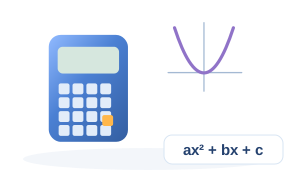
Roots, discriminant and vertex of ax² + bx + c = 0.

Inputs

How to use this calculator: Quadratic Equation Solver

Roots, discriminant and vertex of ax² + bx + c = 0. The example below is calculated by this page's real engine from the displayed inputs.

  1. 1Confirm that the Quadratic Equation Solver matches the quantity or design check you need.
  2. 2Enter a, b, and c using the units printed beside each field.
  3. 3Check every value before calculating, especially decimal points and measurement units.
  4. 4Calculate, then follow the substituted equations in the worked example and compare the result with any stated limit.
  5. 5Read the assumptions, warnings and cited references before using the result for a financial, medical or engineering decision.

Input guide and example values

Use values from the same measurement basis and time period. Conditional fields appear only when the related option is selected.

InputExample valueWhy it matters
a1Measured or known a used by the calculation engine.
b-3Measured or known b used by the calculation engine.
c2Measured or known c used by the calculation engine.

Formula inputs & variables for Quadratic Equation Solver

These are the named quantities used by this calculator. When the source formula does not define a mathematical symbol, OneCalcApp keeps the real input label instead of inventing one.

Variable / inputUnitMeaning in this calculation
aMeasured or known a used by the calculation engine.
bMeasured or known b used by the calculation engine.
cMeasured or known c used by the calculation engine.

How the Quadratic Equation Solver works

The Quadratic Equation Solver uses a, b, and c to calculate Root 1, Root 2, Discriminant, and Vertex. Its engine applies x = (−b ± √(b² − 4ac)) / 2a; the worked values below come from that same live calculation rather than a separately typed example.

With a 1, b -3, and c 2, the main worked-example result is Root 1 = 2.

How each Quadratic Equation Solver input is used

a

The Quadratic Equation Solver worked example uses a = 1. This value is passed directly into the calculation, with an allowed minimum -1000000000.

b

The Quadratic Equation Solver worked example uses b = -3. This value is passed directly into the calculation, with an allowed minimum -1000000000.

c

The Quadratic Equation Solver worked example uses c = 2. This value is passed directly into the calculation, with an allowed minimum -1000000000.

Quadratic Equation Solver formulas and result interpretation

Formula 1: relationship used

In the Quadratic Equation Solver, x = (−b ± √(b² − 4ac)) / 2a. The quantities in this relationship come from the named inputs or from an earlier calculation step shown in the worked example.

Formula 2: relationship used

In the Quadratic Equation Solver, D = b² − 4ac. The quantities in this relationship come from the named inputs or from an earlier calculation step shown in the worked example.

Root 1

For the displayed Quadratic Equation Solver worked example, Root 1 is 2. Verify a, b, and c and their units before relying on this output.

Root 2

For the displayed Quadratic Equation Solver worked example, Root 2 is 1. Verify a, b, and c and their units before relying on this output.

Discriminant

For the displayed Quadratic Equation Solver worked example, Discriminant is 1. two real roots Verify a, b, and c and their units before relying on this output.

Vertex

For the displayed Quadratic Equation Solver worked example, Vertex is (1.5, -0.25). Verify a, b, and c and their units before relying on this output.

Quadratic Equation Solver accuracy, checks and limitations

  • Quadratic Equation Solver units check: confirm a, b, and c before calculating.
  • Quadratic Equation Solver result check: compare Root 1, Root 2, Discriminant, and Vertex with the substituted formula steps and the displayed rounding precision.
  • Quadratic Equation Solver: Treat the result as a mathematical estimate and separately verify input units, rounding rules and any conventions required for your use case.

Formula, derivation and worked example

The discriminant decides whether the roots are real and distinct, repeated, or complex.

x = (−b ± √(b² − 4ac)) / 2a
D = b² − 4ac

Substitution steps

  1. 1. Discriminant
    -3² − 4×1×2
    = 1
  2. 2. Roots
    (−-3 ± √1) / (2×1)
    = 2 , 1

Computed example results

Root 1
2
Root 2
1
Discriminant
1
two real roots
Vertex
(1.5, -0.25)

Understanding the result

Read the main result together with supporting checks, assumptions, limits and intermediate values.

For a manual check, repeat the first equation, confirm the units and change one input at a time.

Assumptions and calculation scope

  • Quadratic Equation Solver applies the displayed x = (−b ± √(b² − 4ac)) / 2a relationship to the entered math inputs. Factors that are not exposed as inputs or stated assumptions are outside this calculator's calculation scope.

Common mistakes when using Quadratic Equation Solver

  • Do not copy values into Quadratic Equation Solver without checking that each field represents the quantity described by its label and hint.
  • Do not replace the displayed x = (−b ± √(b² − 4ac)) / 2a relationship with a different convention without also changing the underlying assumptions; compare like-for-like methods when checking the result.
  • Do not treat Root 1 = 2 from the worked example as a universal answer. It belongs to the displayed example inputs and must be recalculated for the actual case.

When the Quadratic Equation Solver is useful

Quadratic Equation Solver is designed for cases where a, b, c are known and you need Root 1, Root 2, Discriminant. The page keeps the live calculator, calculation method and worked example together so the result can be checked instead of treated as a black-box number.

Use the calculator for the scope described by its inputs and notes. The displayed method is x = (−b ± √(b² − 4ac)) / 2a. If the real project or decision needs factors that are not represented here, treat the result as an estimate and add the missing checks separately.

a and b: what changes the answer

The worked example uses a = 1, b = -3, c = 2. With those values, Root 1 is 2. Changing an input should be interpreted according to that field's unit, range, option and hint rather than by the number alone.

For this calculator, the main input roles are: a: Measured or known a used by the calculation engine. b: Measured or known b used by the calculation engine. c: Measured or known c used by the calculation engine.

How to sanity-check a Quadratic Equation Solver result

Start by confirming the entered values and units, then compare the substituted working with the displayed formula or calculation steps. Pay particular attention to Root 1, because it is the first worked-example output shown by the live engine.

Finally, compare the result with the assumptions, warnings and related calculators on this page. A nearby calculator can be useful as a cross-check when it measures the same workflow from a different input or output direction.

Next logical calculator

Continue with Standard Deviation Calculator

Standard Deviation Calculator is directly connected from Quadratic Equation Solver as a source-defined continuation or comparison.

Open Standard Deviation Calculator

Formula

  • x = (−b ± √(b² − 4ac)) / 2a
  • D = b² − 4ac

The discriminant decides whether the roots are real and distinct, repeated, or complex.

Frequently asked questions

What inputs does the Quadratic Equation Solver use?

It uses a, b, and c. Follow the unit printed for each field and choose any selectable option to match the real scenario.

What does the Quadratic Equation Solver calculate?

It calculates Root 1, Root 2, Discriminant, and Vertex. With the displayed default inputs, Root 1 is 2.

Which formula does the Quadratic Equation Solver use?

The primary relationship is x = (−b ± √(b² − 4ac)) / 2a. The page also shows substituted values and calculation steps so the result can be checked independently.

How can I verify a Quadratic Equation Solver result?

First verify the units for a, b, and c. Then compare the substituted formula steps with Root 1 and its displayed precision.

What are the limitations of the Quadratic Equation Solver?

Quadratic Equation Solver: Treat the result as a mathematical estimate and separately verify input units, rounding rules and any conventions required for your use case.

Where can I find related Math tools?

Use the related-tools section on this page to compare another method, change units or continue the same math calculation.

Related calculators

Keep going with more math tools.