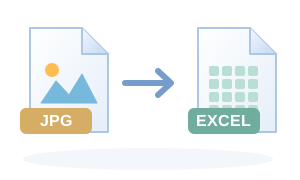
Convert JPG tables, invoices, forms and screenshots into an editable Excel workbook with OCR-based layout reconstruction, sampled source colours and an exact embedded copy of the original JPG for visual verification.
The Source Image sheet is an exact embedded copy of the uploaded JPG. The editable OCR Reconstruction sheet is best-effort: always compare important names, numbers and totals against the Source Image sheet before relying on extracted data.
Drag & drop files here
or use the button below · processed locally on your device
Output settings
Free file tool
Free JPG to Excel (OCR) online
Convert JPG tables, invoices, forms and screenshots into an editable Excel workbook with OCR-based layout reconstruction, sampled source colours and an exact embedded copy of the original JPG for visual verification. Use the tool directly in your browser with no sign-up. It supports multiple source files in the same session, so it also works as a free batch tool when you have more than one file.
Free to use
No payment required for this tool.
Batch conversion
Queue multiple source files in one session.
Browser-based
The conversion workflow runs from the web page on your device.
No sign-up
Start the file workflow without creating an account.
What JPG to Excel (OCR) is useful for
✓Converting a supported source into the required output
✓Preparing files for sharing or upload
✓Creating a new downloadable copy without replacing the original
Input and output checks
Accepted input: jpeg, .jpg, .jpeg.
✓Open the downloaded output before deleting or replacing the source file.
✓Check the details that matter for your use: page count, dimensions, orientation, text, duration or metadata.
✓For batch jobs, confirm every queued file produced the expected output.
✓If quality or size matters, compare more than one settings combination before choosing the final copy.
How to use this calculator: JPG to Excel (OCR)
1Choose one or more JPG or JPEG images; the native picker remains unrestricted and the converter validates the selected file after selection.
2Choose the OCR language and OCR scale. A higher scale can improve recognition on small or low-resolution text, but uses more memory.
3OCR detects text lines and word positions, then reconstructs an editable Excel sheet using source-relative row heights, column positions, merged regions and sampled colours.
4A second Source Image sheet embeds the original uploaded JPG bytes without re-encoding, so the workbook always contains an exact visual reference to compare against the editable OCR result.
5The generated XLSX is validated before download, including workbook structure, styles and a SHA-256 match between the uploaded JPG and the image embedded in the workbook.
Worked conversion example
Example: provide a supported source, review the default settings, run JPG to Excel (OCR), inspect the preview or metadata, and download under a new filename so the original remains available.
Accepted input
jpeg, .jpg, .jpeg
Batch behaviour
Multiple files supported
Output settings
Setting
Example/default
Effect
OCR language
English
Choose the language used in the source image for better OCR accuracy.
OCR detail scale
2
2× is the quality-first default. Higher values can help small text but require more browser memory.
How the browser process works
Convert JPG tables, invoices, forms and screenshots into an editable Excel workbook with OCR-based layout reconstruction, sampled source colours and an exact embedded copy of the original JPG for visual verification. The page sends the selected file and settings to its image-to-xlsx browser engine, creates a new output and downloads it without overwriting the source.
The Source Image sheet is an exact embedded copy of the uploaded JPG. The editable OCR Reconstruction sheet is best-effort: always compare important names, numbers and totals against the Source Image sheet before relying on extracted data.
Privacy, quality checks and limitations
Keep the original file until the downloaded output has been opened and checked.
Verify page count, orientation, dimensions, text legibility, audio/video duration and metadata relevant to your use.
Browser-local processing reduces routine upload exposure, but your device, browser extensions and download location still matter.
A converted preview is not proof of legal authenticity, archival compliance, accessibility or digital-signature validity.
Frequently asked questions
Will JPG to Excel match the source image exactly?
The Source Image sheet preserves the uploaded JPG itself byte-for-byte, so that sheet is an exact visual reference. The editable OCR Reconstruction sheet is rebuilt from recognised text and geometry and therefore cannot be guaranteed character-perfect or pixel-perfect for every image.
Does it keep colours, headings and spacing?
The OCR reconstruction uses detected text positions, source-relative row and column geometry, merged regions, approximate font size and sampled background/text colours to stay as close as practical to the JPG layout.
Can it convert photographed tables and invoices?
Yes, especially when the image is sharp, front-facing and well lit. Perspective distortion, blur, handwriting and very small text can reduce OCR accuracy.
Which OCR languages are available?
English, Tamil, Hindi and combined English+Tamil or English+Hindi modes are available. Language data is loaded by the browser OCR engine when required.
Does OneCalcApp upload the JPG to a server?
The conversion uses the existing browser-side OCR and workbook generation path, so supported processing runs on your device.