All solar calculators
📅

Monthly Yield Split

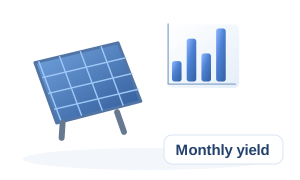
Distribute annual generation across months (India typical).

Performance

Inputs (SI units)

Results

Annual total
15,000 kWh
Best month
May — 1,470 kWh (9.8%)
Worst month
Aug — 1,110 kWh (7.4%)
Average month
1,250 kWh
✓ PASS — Monthly shares sum to 100% — consistent with 100%.
✓ PASS — Worst month (Aug) is not extreme relative to the monthly average.

Engineering Recommendations

  • Replace default/generic shares with site-specific monthly irradiation (mode B) whenever possible.
  • Engineering-grade preliminary calculation. Final design must be verified against project-specific site conditions, manufacturer datasheets, applicable standards and utility requirements.

Detailed Calculation Log

Mode A: annual 15,000 kWh distributed by Jan=7.5%, Feb=7.8%, Mar=9%, Apr=9.5%, May=9.8%, Jun=8.6%, Jul=7.5%, Aug=7.4%, Sep=8.2%, Oct=8.8%, Nov=8%, Dec=7.9% (sum 100%, normalised).
Jan: 1,125 kWh (7.5% of annual).
Feb: 1,170 kWh (7.8% of annual).
Mar: 1,350 kWh (9% of annual).
Apr: 1,425 kWh (9.5% of annual).
May: 1,470 kWh (9.8% of annual).
Jun: 1,290 kWh (8.6% of annual).
Jul: 1,125 kWh (7.5% of annual).
Aug: 1,110 kWh (7.4% of annual).
Sep: 1,230 kWh (8.2% of annual).
Oct: 1,320 kWh (8.8% of annual).
Nov: 1,200 kWh (8% of annual).
Dec: 1,185 kWh (7.9% of annual).

Save & Load Project

Designs are stored privately in this browser — nothing is uploaded.

Engineering Formula

  • E_m = f_m × E_annual with Σf_m = 1.0

Uses a typical Indian PV monthly-share vector derived from NASA POWER 22-year mean. Substitute local irradiance data for site-specific splits.

Step-by-step Calculation

  1. 1.Share sum checkΣ shares100 %
  2. 2.Normalised monthly energyE_m = (share_m / Σshares) × E_annualper month, see log

How to use this calculator: Monthly Yield Split

Distribute annual generation across months (India typical). The example below is calculated by this page's real engine from the displayed inputs.

  1. 1Confirm that the Monthly Yield Split matches the quantity or design check you need.
  2. 2Enter Annual generation (mode A), Jan share, and Feb share using the units printed beside each field.
  3. 3Select the applicable Split mode options; these choices change the calculation method or factors.
  4. 4Calculate, then follow the substituted equations in the worked example and compare the result with any stated limit.
  5. 5Read the assumptions, warnings and cited references before using the result for a financial, medical or engineering decision.

Input guide and example values

Use values from the same measurement basis and time period. Conditional fields appear only when the related option is selected.

InputExample valueWhy it matters
Split modeA: 12 monthly percentagesSelect the option that matches the real installation or scenario.
Annual generation (mode A)15000 kWhMeasured or known annual generation (mode a) used by the calculation engine.
Jan share7.5 %Measured or known jan share used by the calculation engine.
Feb share7.8 %Measured or known feb share used by the calculation engine.
Mar share9 %Measured or known mar share used by the calculation engine.
Apr share9.5 %Measured or known apr share used by the calculation engine.
May share9.8 %Measured or known may share used by the calculation engine.
Jun share8.6 %Measured or known jun share used by the calculation engine.
Jul share7.5 %Measured or known jul share used by the calculation engine.
Aug share7.4 %Measured or known aug share used by the calculation engine.
Sep share8.2 %Measured or known sep share used by the calculation engine.
Oct share8.8 %Measured or known oct share used by the calculation engine.
Nov share8 %Measured or known nov share used by the calculation engine.
Dec share7.9 %Measured or known dec share used by the calculation engine.

Formula inputs & variables for Monthly Yield Split

These are the named quantities used by this calculator. When the source formula does not define a mathematical symbol, OneCalcApp keeps the real input label instead of inventing one.

Variable / inputUnitMeaning in this calculation
Split modeSelect the option that matches the real installation or scenario.
Annual generation (mode A)kWhMeasured or known annual generation (mode a) used by the calculation engine.
Jan share%Measured or known jan share used by the calculation engine.
Feb share%Measured or known feb share used by the calculation engine.
Mar share%Measured or known mar share used by the calculation engine.
Apr share%Measured or known apr share used by the calculation engine.
May share%Measured or known may share used by the calculation engine.
Jun share%Measured or known jun share used by the calculation engine.

How the Monthly Yield Split works

The Monthly Yield Split uses Split mode, Annual generation (mode A), Jan share, Feb share, Mar share, Apr share, May share, Jun share, Jul share, Aug share, Sep share, Oct share, Nov share, and Dec share to calculate Annual total, Best month, Worst month, and Average month. Its engine applies E_m = f_m × E_annual with Σf_m = 1.0; the worked values below come from that same live calculation rather than a separately typed example.

With Split mode A: 12 monthly percentages, Annual generation (mode A) 15000 kWh, Jan share 7.5 %, Feb share 7.8 %, Mar share 9 %, Apr share 9.5 %, May share 9.8 %, Jun share 8.6 %, Jul share 7.5 %, Aug share 7.4 %, Sep share 8.2 %, Oct share 8.8 %, Nov share 8 %, and Dec share 7.9 %, the main worked-example result is Annual total = 15,000 kWh.

How each Monthly Yield Split input is used

Split mode

The Monthly Yield Split worked example selects “A: 12 monthly percentages”. Available choices include A: 12 monthly percentages and B: 12 monthly irradiation values. This selection may change the method or factor used by the engine, so choose the option that matches the real case.

Annual generation (mode A)

The Monthly Yield Split worked example uses Annual generation (mode A) = 15000 kWh. This value is passed directly into the calculation, with an allowed minimum 1.

Jan share

The Monthly Yield Split worked example uses Jan share = 7.5 %. This value is passed directly into the calculation, with an allowed minimum 0 and maximum 100.

Feb share

The Monthly Yield Split worked example uses Feb share = 7.8 %. This value is passed directly into the calculation, with an allowed minimum 0 and maximum 100.

Mar share

The Monthly Yield Split worked example uses Mar share = 9 %. This value is passed directly into the calculation, with an allowed minimum 0 and maximum 100.

Apr share

The Monthly Yield Split worked example uses Apr share = 9.5 %. This value is passed directly into the calculation, with an allowed minimum 0 and maximum 100.

May share

The Monthly Yield Split worked example uses May share = 9.8 %. This value is passed directly into the calculation, with an allowed minimum 0 and maximum 100.

Jun share

The Monthly Yield Split worked example uses Jun share = 8.6 %. This value is passed directly into the calculation, with an allowed minimum 0 and maximum 100.

Jul share

The Monthly Yield Split worked example uses Jul share = 7.5 %. This value is passed directly into the calculation, with an allowed minimum 0 and maximum 100.

Aug share

The Monthly Yield Split worked example uses Aug share = 7.4 %. This value is passed directly into the calculation, with an allowed minimum 0 and maximum 100.

Sep share

The Monthly Yield Split worked example uses Sep share = 8.2 %. This value is passed directly into the calculation, with an allowed minimum 0 and maximum 100.

Oct share

The Monthly Yield Split worked example uses Oct share = 8.8 %. This value is passed directly into the calculation, with an allowed minimum 0 and maximum 100.

Nov share

The Monthly Yield Split worked example uses Nov share = 8 %. This value is passed directly into the calculation, with an allowed minimum 0 and maximum 100.

Dec share

The Monthly Yield Split worked example uses Dec share = 7.9 %. This value is passed directly into the calculation, with an allowed minimum 0 and maximum 100.

Monthly Yield Split formulas and result interpretation

Formula 1: relationship used

In the Monthly Yield Split, E_m = f_m × E_annual with Σf_m = 1.0. The quantities in this relationship come from the named inputs or from an earlier calculation step shown in the worked example.

Annual total

For the displayed Monthly Yield Split worked example, Annual total is 15,000 kWh. Verify Split mode, Annual generation (mode A), and Jan share and their units before relying on this output.

Best month

For the displayed Monthly Yield Split worked example, Best month is May — 1,470 kWh (9.8%). Verify Split mode, Annual generation (mode A), and Jan share and their units before relying on this output.

Worst month

For the displayed Monthly Yield Split worked example, Worst month is Aug — 1,110 kWh (7.4%). Verify Split mode, Annual generation (mode A), and Jan share and their units before relying on this output.

Average month

For the displayed Monthly Yield Split worked example, Average month is 1,250 kWh. Verify Split mode, Annual generation (mode A), and Jan share and their units before relying on this output.

Monthly Yield Split accuracy, checks and limitations

  • Monthly Yield Split units check: confirm Split mode, Annual generation (mode A) (kWh), Jan share (%), Feb share (%), Mar share (%), Apr share (%), May share (%), Jun share (%), Jul share (%), Aug share (%), Sep share (%), Oct share (%), Nov share (%), and Dec share (%) before calculating.
  • Monthly Yield Split result check: compare Annual total, Best month, Worst month, and Average month with the substituted formula steps and the displayed rounding precision.
  • Monthly Yield Split: Use this result for preliminary design and cross-checking. Confirm the applicable code edition, manufacturer data, site conditions and qualified-engineer approval before final design or installation.

Understanding the result

Read the main result together with supporting checks, assumptions, limits and intermediate values.

For a manual check, repeat the first equation, confirm the units and change one input at a time.

Common mistakes when using Monthly Yield Split

  • Do not mix units for Annual generation (mode A) (kWh), Jan share (%), Feb share (%). A unit mismatch changes the input magnitude even when the typed number looks reasonable.
  • Do not leave Split mode on the default choice unless that choice matches the real scenario; the selected option can change the calculation path or factor.
  • Do not replace the displayed E_m = f_m × E_annual with Σf_m = 1.0 relationship with a different convention without also changing the underlying assumptions; compare like-for-like methods when checking the result.
  • Do not treat Annual total = 15,000 kWh from the worked example as a universal answer. It belongs to the displayed example inputs and must be recalculated for the actual case.

When the Monthly Yield Split is useful

Monthly Yield Split is designed for cases where Split mode, Annual generation (mode A), Jan share, Feb share are known and you need Annual total, Best month, Worst month. The page keeps the live calculator, calculation method and worked example together so the result can be checked instead of treated as a black-box number.

Use the calculator for the scope described by its inputs and notes. The displayed method is E_m = f_m × E_annual with Σf_m = 1.0. If the real project or decision needs factors that are not represented here, treat the result as an estimate and add the missing checks separately.

Split mode and Annual generation (mode A): what changes the answer

The worked example uses Split mode = A: 12 monthly percentages, Annual generation (mode A) = 15000 kWh, Jan share = 7.5 %, Feb share = 7.8 %. With those values, Annual total is 15,000 kWh. Changing an input should be interpreted according to that field's unit, range, option and hint rather than by the number alone.

For this calculator, the main input roles are: Split mode: Select the option that matches the real installation or scenario. Available choices include A: 12 monthly percentages, B: 12 monthly irradiation values. Annual generation (mode A) (kWh): Measured or known annual generation (mode a) used by the calculation engine. Jan share (%): Measured or known jan share used by the calculation engine. Feb share (%): Measured or known feb share used by the calculation engine.

How to sanity-check a Monthly Yield Split result

Start by confirming the entered values and units, then compare the substituted working with the displayed formula or calculation steps. Pay particular attention to Annual total, because it is the first worked-example output shown by the live engine.

Finally, compare the result with the assumptions, warnings and related calculators on this page. A nearby calculator can be useful as a cross-check when it measures the same workflow from a different input or output direction.

Next logical calculator

Continue with Solar Generation Calculator

Useful next check because both tools use Jan irradiation and Feb irradiation, while Solar Generation Calculator answers a different part of the same workflow.

Open Solar Generation Calculator

Standards, source trail and limitations

References show the method used. Check the current local edition, amendments and project specification before a regulated decision.

Design Assumptions

  • Distribution valid for lat 20–30 °N, south-facing tilt≈latitude.

Engineering Tips

  • Replace fractions with PVsyst PA report for bankable studies.

Warnings

  • Monsoon months (Jul-Aug) may drop 20–30% vs this baseline.

Standards & References

NASA POWERIEC 61724-1

Related Solar Calculators

Related Engineering Articles

Deeper reading on the engineering behind this calculation.